
Get your plant on SuperGig, step by step.
Tell us about your plant in the short form below. Our corridor team will reach you for further onboarding and walk you through SuperGig Plant on your own shifts. Then you set up your plant’s pin, gates and check-in radius, post your first shift, and run gate checks, approvals and registers from one app.
- SuperGig reviews every public shift
- WorkPass check at your gate
- Registers built from attendance
Looking for work? Join as a Partner

Five steps from your first call to your first shift.
Who does what at each step, and what you see in SuperGig Plant. SuperGig is a marketplace: it is not the employer of record and does not guarantee fill.
-
Tell us about your plant
Fill in the short form on this page: your name and mobile number, your plant and its area, and what you need. Your details are saved for our corridor team, and WhatsApp opens with them filled in, so you can talk to us there.
Go to the form -
A demo on your own shifts
Our corridor team will reach you for further onboarding. By phone or on WhatsApp, they walk you through SuperGig Plant using the shifts your plant runs: posting a shift, how Partners book it, the gate check, approvals and the registers.
- SuperGig Plant is in English
- Our team speaks English, Tamil, Hindi, Telugu and Kannada
-
Set up your plant
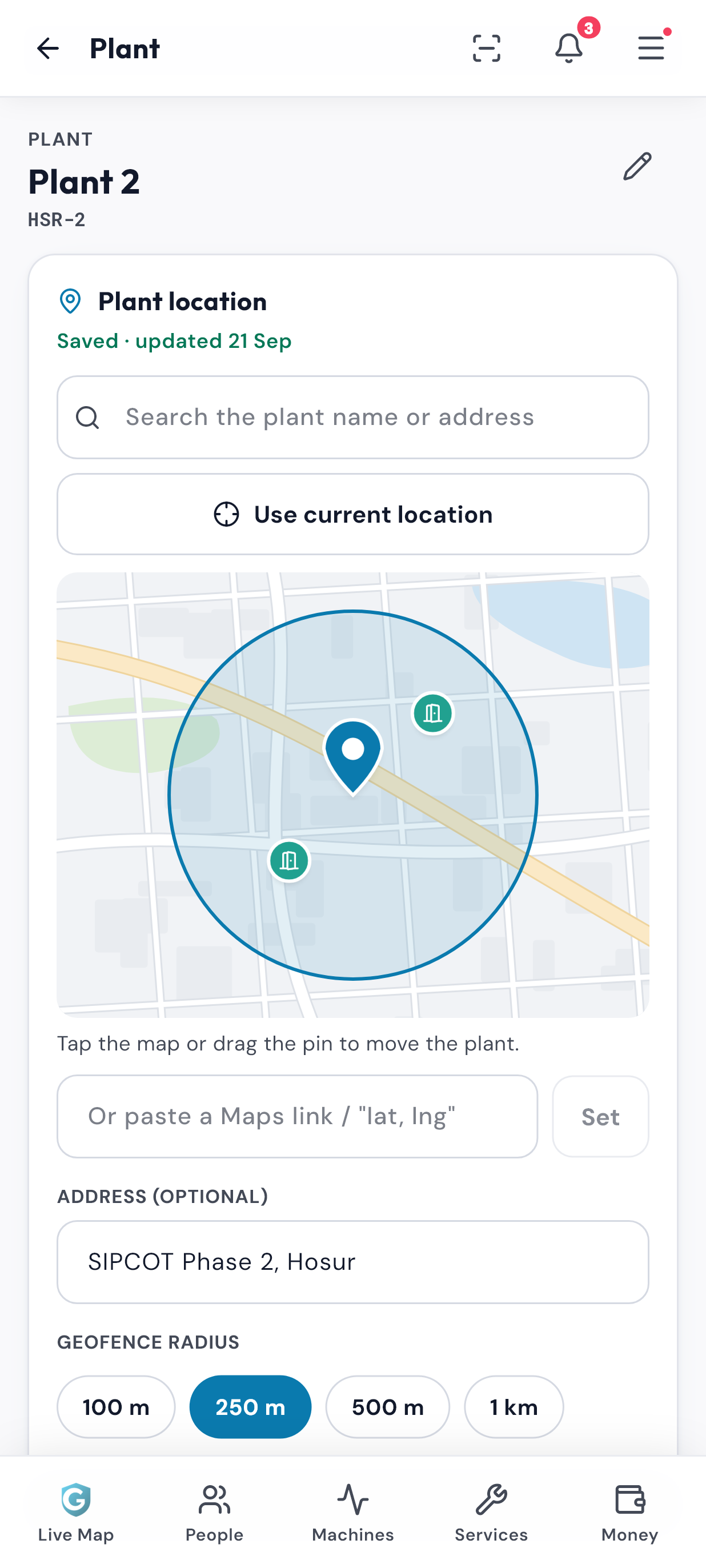
Create your company account, then place your plant on the map: search for it, use your current location or drag the pin. Pick the check-in radius and name the gates Partners should come to. Add your GST number and factory address, and SuperGig reviews them: verified employers show a Verified badge.
- Geofence: 100, 250, 500 or 1,000 m
- Up to 12 gates, each within 3 km
- Optional: your safety video as an induction course
-
Post your first shift
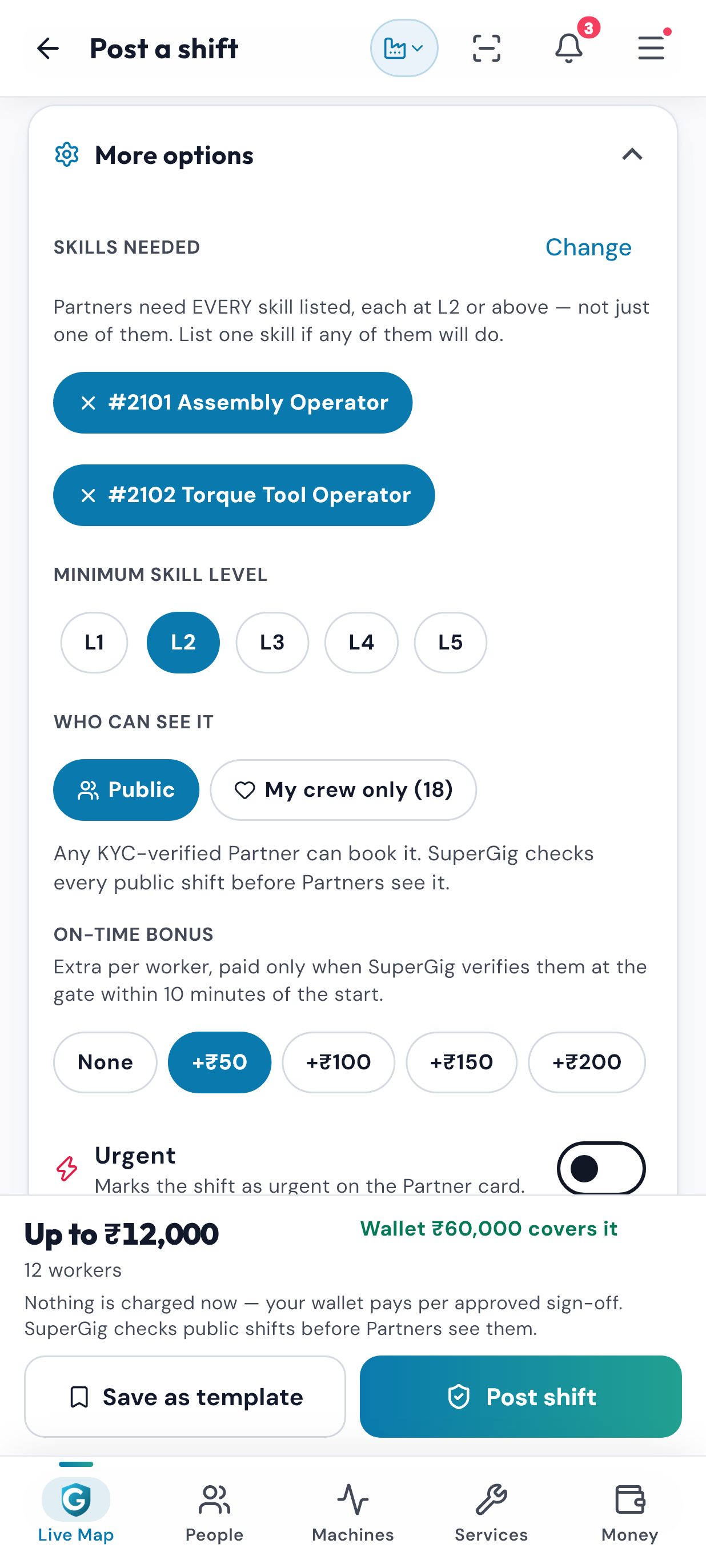
Post a shift on one page: the role, the gate, the timing, how many people, the pay, the duties and any skills it needs, each at a minimum level from L1 to L5. SuperGig reviews every public shift before Partners see it, and KYC-verified Partners book it themselves.
- One day, weekly, 1–31 day runs or hourly slots
- Up to 500 people per shift
- Save it as a template
-
Gate checks, approvals and registers
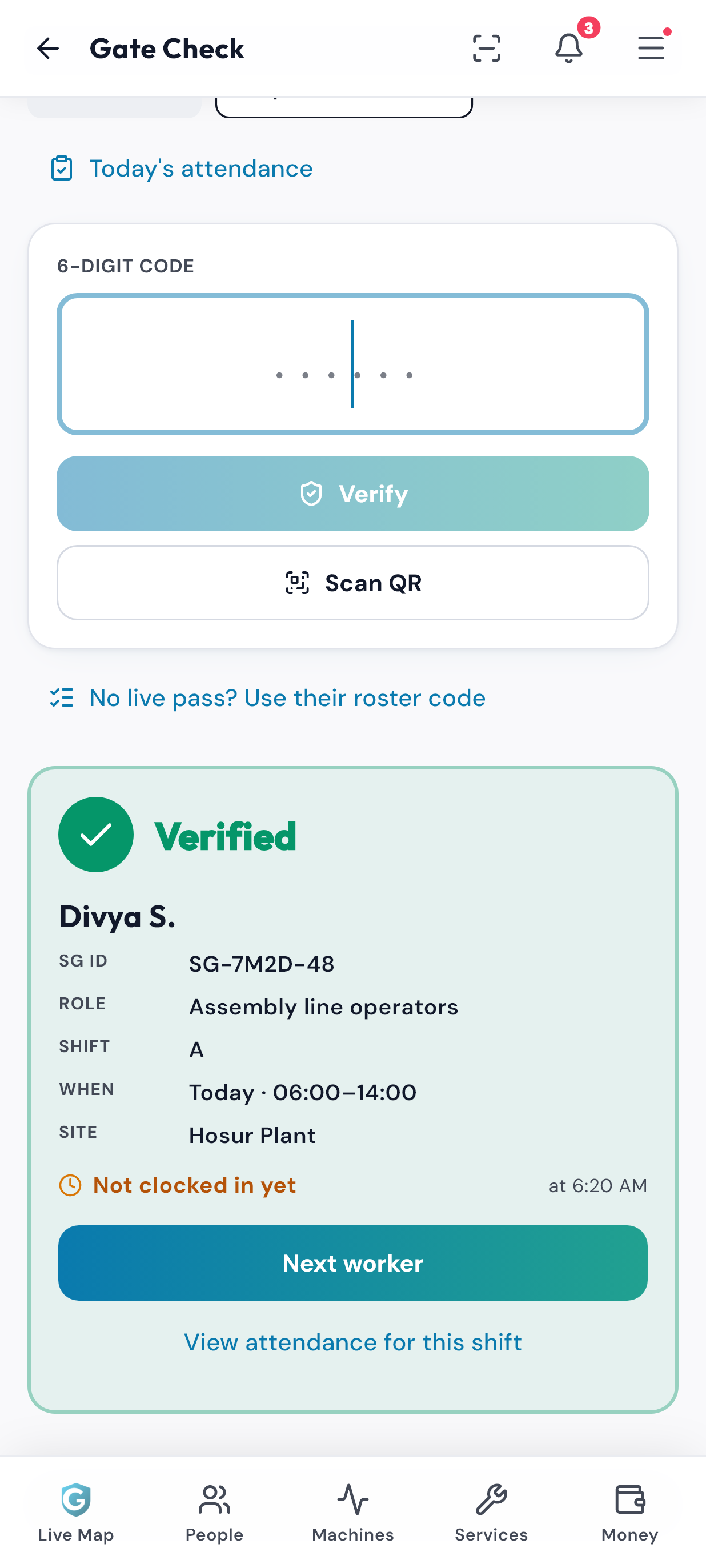
At the gate you named, your guard types the Partner’s 6-digit WorkPass code, which changes every 30 seconds, or scans its QR. Clock-in works only inside your geofence. After the shift, approve pay against the gate check and the clock-in and clock-out times. The muster roll builds itself from clock-ins, and the wage register from approved sign-offs.
- Flagged sign-offs stay out of “Select all”
- EPF ECR and ESI return files
- Printable Inspection Pack


Tell us about your plant.
A few short questions about you, your plant and what you need. Our corridor team will reach you for further onboarding.
- Your details are saved for our corridor team.
- WhatsApp opens with your details filled in, so you can talk to us there.
- Our corridor team will reach you for further onboarding and a demo on your own shifts.
Have these to hand when you set up.
What SuperGig Plant asks for when you create your account, get verified, set up your plant and post your first shift.
Anything else? Our corridor team will tell you what to keep ready.
-
Your company details
Company name, your name, a mobile number, your industry and a work email, for the company account.
-
GST number and factory address
To get verified. SuperGig reviews them, and verified employers show a Verified badge.
-
Where your plant is
Its name or address to search on the map, or a Google Maps link to paste.
-
Your gates
The entrances Partners should use, named the way your guards know them: up to 12, each within 3 km of the plant.
-
Your safety video (optional)
An https:// link to it. The Partner app turns it into a short induction course, and you choose whether passing it counts as induction.
-
Your first shift
The role, the timing, how many people, the pay and the duties, the skills it needs, and what Partners should bring, such as safety shoes or ID.
Plant onboarding: your questions.
Can’t find your answer? Call or WhatsApp us on the same number. We speak English, Tamil, Hindi, Telugu and Kannada.
How long does plant onboarding take?
Do we pay anything to get started?
What does the plant demo cover?
Which areas can our plant be in?
Can we start with one plant and add more later?
Is SuperGig Plant on the Play Store?
Rather talk it through first?
Call or WhatsApp us on the same number. We speak English, Tamil, Hindi, Telugu and Kannada. WhatsApp is for talking to us; shifts are booked in the apps.